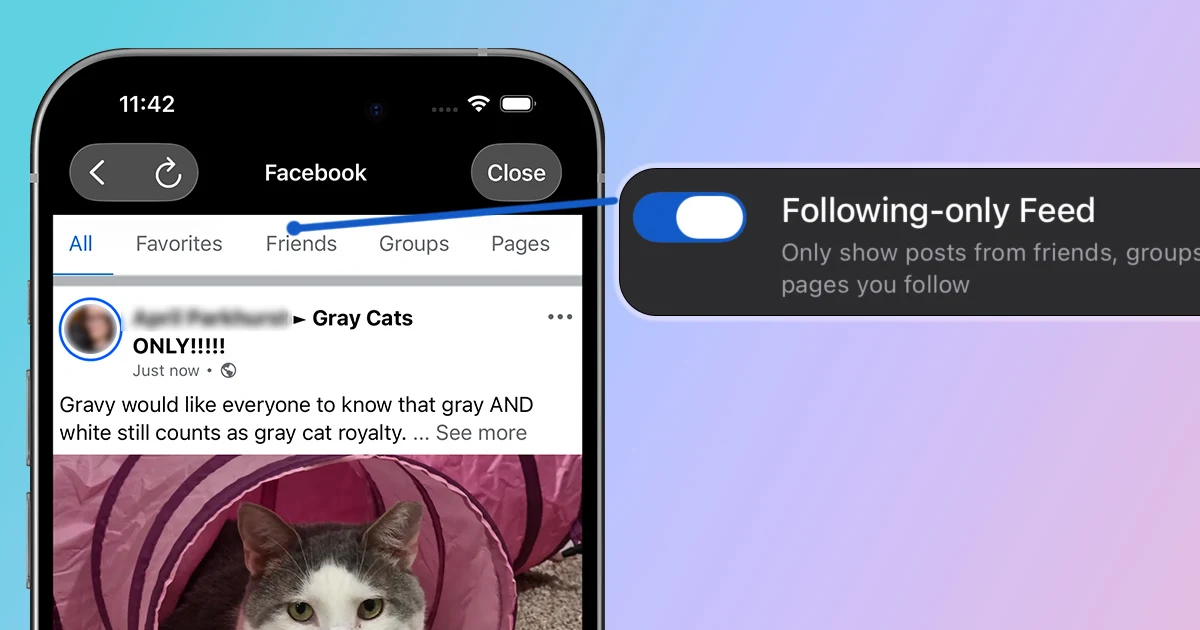
You use Facebook because you want to keep up with people and communities you chose: friends and family, local groups, or pages you care about. Facebook's default feed has other plans. It mixes in suggested posts and Reels from accounts you do not follow, all in an effort to keep you on the app longer. If you want to scroll Facebook with more intention, this guide shows you how to create a friends-and-following-only feed on iOS and Android.
Option 1: How to See Only Friends and Followed Pages With LoomWeb
The most focused option on mobile is LoomWeb. The Facebook Following-only Feed patch is built for people who want updates from friends, groups, and pages they follow without the recommendation layer taking over.
- Download LoomWeb from the App Store or Google Play
- Create or edit a Facebook Weave
- Enable Following-only Feed
- Optionally enable Disable Reels Tab and Disable Reel Scrolling
- Browse Facebook through LoomWeb
This keeps the useful part of Facebook visible while removing the algorithmic content that leads to doomscrolling.
Ready to make Facebook about people you chose again?
Option 2: Use Facebook's Built-In Feeds
Facebook offers built-in Feeds and Favorites views, which can help you see posts from friends, groups, and pages you chose. These controls are useful when you remember to switch to them before browsing.
The catch is that Facebook still opens to its default home feed. You have to navigate to Feeds or Favorites each time, often after recommendations are already on the screen. Returning to Home takes you straight back to the default feed, so this is a temporary view rather than a persistent setup like Option 1.
Make the Rest of Facebook Less Distracting
Suggested posts are only one part of Facebook's recommendation system. These LoomWeb patches work well together when you want a more focused version of the app:
- Disable Reels Tab
- Disable Reel Scrolling
Pick the pieces that distract you most. A following-only feed can stand on its own, or you can pair it with the Reels patches when you want Facebook to have a smaller role on your phone.
Frequently Asked Questions
Can Facebook show only posts from friends?
Facebook's built-in Feeds and Favorites controls can help you see more from people and pages you follow, but the default home feed still includes recommendations. LoomWeb's Following-only Feed patch is designed to hide those suggested posts.
Will Following-only Feed hide groups and pages?
No. The patch keeps posts from friends, groups, and pages you follow while removing suggested content from accounts outside your network.
Is the following-only Facebook feed chronological?
Yes. The following-only feed shows recent posts from friends, groups, and pages you follow without suggested posts mixed in.
Can I still use Facebook Marketplace and messages?
Yes. Following-only Feed changes the home feed. Other Facebook areas remain available unless you enable additional patches that hide them.
The Bottom Line
Facebook is easier to use intentionally when you are given control over your experience. LoomWeb gives you a following-first version of Facebook that still keeps the parts you care about: friends, groups, pages, and connection.
Create a Cleaner Facebook Feed
Download LoomWeb and build a Facebook Weave around people, groups, and pages you follow.