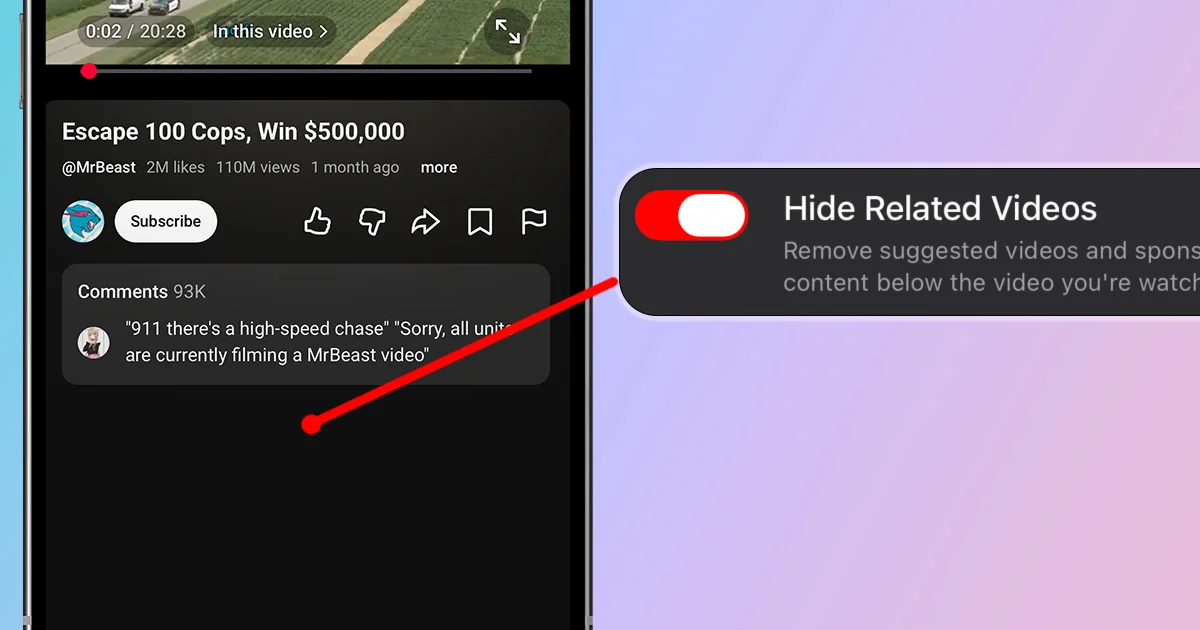
YouTube makes it hard to watch one video and leave. Even when you search for exactly what you need, the area below the player fills up with related videos chosen to keep you watching. This guide shows you how to hide related videos on YouTube for iOS and Android.
Option 1: How to Hide YouTube Related Videos With LoomWeb
LoomWeb includes a Hide Related Videos patch for YouTube. It removes suggested and sponsored videos below the one you are watching, making it easier to finish and leave.
- Download LoomWeb from the App Store or Google Play
- Create or edit a YouTube Weave
- Enable Hide Related Videos
- Optionally enable Hide Home Screen Recommendations and Hide Shorts
- Watch YouTube through LoomWeb
You can still search for and watch any video you choose. The patch only removes the recommendations waiting below the player.
Ready to watch one YouTube video without getting pulled into the next?
Option 2: Use YouTube's Recommendation Controls
YouTube lets you remove some recommendations with controls like Not interested and Don't recommend channel. You can also manage watch history, which affects recommendation quality.
These controls can improve what YouTube recommends, but they do not remove the related videos section itself.
Make the Rest of YouTube Less Distracting
Related videos are only one part of YouTube's recommendation system. If you want a more focused setup, these LoomWeb patches work well together:
- Hide Home Screen Recommendations
- Hide Shorts
You decide which distractions to remove and which YouTube features you still find useful.
Frequently Asked Questions
Can I turn off related videos in YouTube's settings?
YouTube lets you tune recommendations with feedback and watch-history controls, but it does not offer a setting that completely removes related videos from the watch page.
Does hiding related videos turn off autoplay?
No. Related videos and autoplay are separate. Turn off autoplay in YouTube as well if you do not want another video to begin automatically.
Can I still search for and watch other videos?
Yes. LoomWeb's Hide Related Videos patch removes recommendations below the player. Search, subscriptions, and normal video playback remain available unless you enable other patches.
The Bottom Line
YouTube's related videos can turn one intentional watch into another unplanned session. If you want to stay in control of what you watch, hide the recommendations waiting beneath every video. Your future self will thank you.
Hide YouTube Related Videos
Download LoomWeb and turn YouTube watch pages into calmer, one-video experiences.