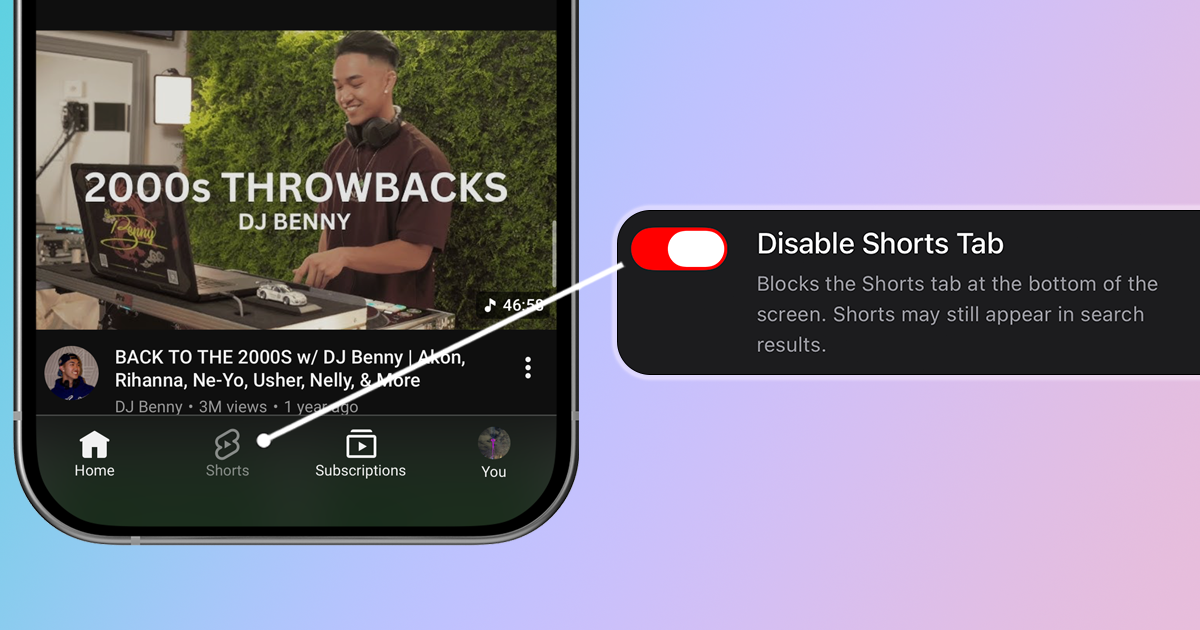
YouTube used to be the world's best library for deep dives, tutorials, and long-form content. But since introducing Shorts, the platform has cluttered your feed with 60-second clips you didn't ask for. If you miss the days when YouTube was a search engine rather than a slot machine, here is how to hide Shorts and restore a cleaner viewing experience.
Why You Might Want to Disable YouTube Shorts
Here's why many users want to turn Shorts off:
- Addictive by design: The infinite scroll and autoplay are engineered to keep you watching
- Low-value content: Most Shorts prioritize entertainment over education
- Derails your intent: You came to learn something, not watch random clips
- Wastes time: The short format tricks your brain into thinking "just one more" won't hurt
- Pollutes recommendations: Watching Shorts affects your main YouTube recommendations
Method 1: Use LoomWeb (Most Effective)
The most effective way to disable YouTube Shorts on mobile is with LoomWeb, an app that lets you block specific features on social media and video platforms.
How it works:
- Download LoomWeb from the App Store or Google Play
- Create a new "Weave" (custom browsing configuration)
- Enable the "Disable Shorts Tab" patch to block the button from your navigation menu. Also toggle "Disable Shorts Scrolling" to prevent the infinite scrolling if you open a Short from search results or the Home page.
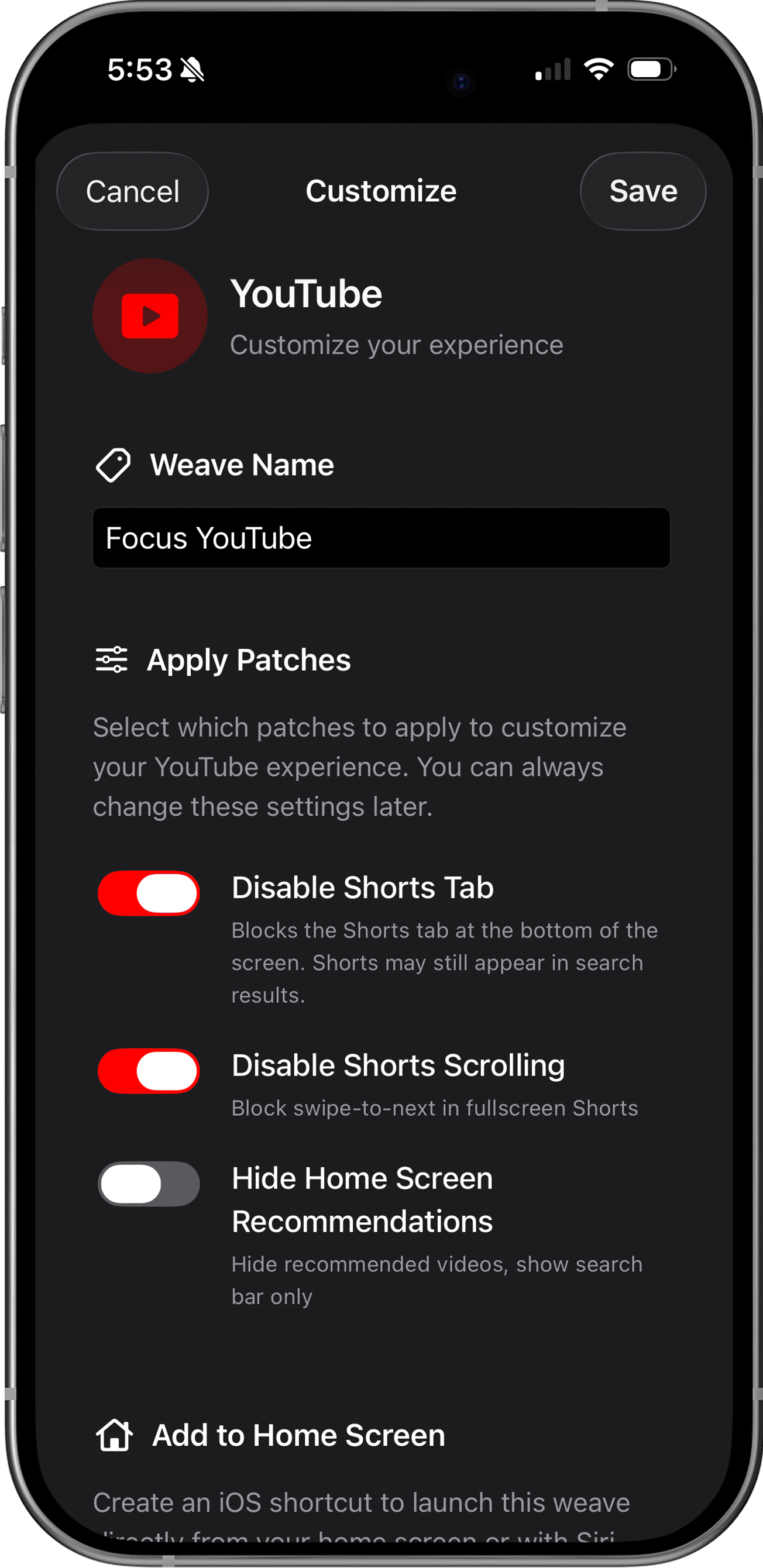
- Browse YouTube through LoomWeb instead of the native app
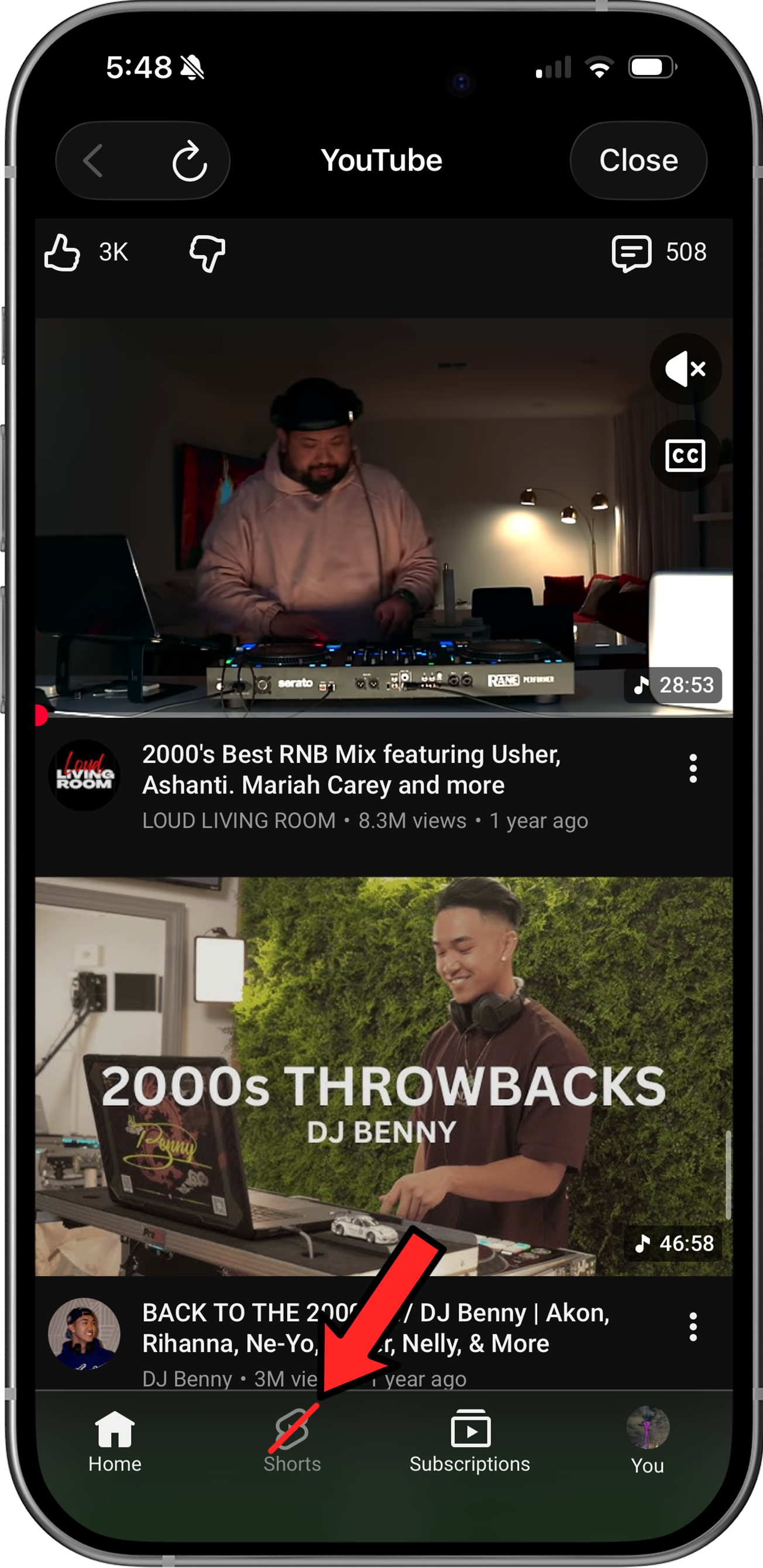
With LoomWeb, you get two layers of protection: the Shorts tab is hidden, and even if you accidentally tap a Short from search results, you can't scroll to the next one. You watch what you intended to watch and nothing more.
Ready to use YouTube without Shorts?
Method 2: Safari Extensions on iOS (Limited)
If you prefer to watch YouTube via the Safari on your phone, you can install third-party browser extensions to filter the page content. These tools modify the website code as it loads to hide specific elements.
Recommended Extensions:
- #BlockIt ($7.99) – A robust option that allows blocking specific elements on YouTube, Facebook, and other sites. Note that the free version only works on Facebook.
- Roadblock ($0.99/mo) – A cheaper alternative to #BlockIt, though it is less actively maintained.
Limitation: Because these are standard browser extensions, they lack the native integrations that apps like LoomWeb provide, such as home screen widgets and Shortcuts support. They also require a multi-step setup in Safari settings, which can take some time if you haven’t installed extensions before.
Why YouTube Won't Let You Disable Shorts
YouTube has no incentive to let you turn off Shorts because:
- Engagement metrics: Shorts dramatically increase time spent on the platform.
- Data velocity: You swipe through Shorts faster than long-form videos, giving their algorithm 10x more data points to profile you.
- Habit reinforcement: The short format creates a "low friction" loop, training your brain to open the app whenever you have a spare moment.
- Session extension: Without natural stopping points (like the end of a video), it is psychologically harder to close the app, keeping you watching longer than intended.
The platform's goals are fundamentally misaligned with your goal of using YouTube intentionally.
Why LoomWeb is the Best Solution
LoomWeb gives you precise control:
- Hide the Shorts tab: Remove it from the navigation entirely
- Block Shorts scrolling: Even if you tap a Short, you can't doomscroll to the next one
- Hide Home recommendations: Optional patch to show only Search, not algorithmic suggestions
- Multiple platforms: Also blocks Instagram Reels, Facebook Reels, and X videos
- Actively maintained: Regular updates ensure patches keep working even when platforms change their code
The Bottom Line
YouTube Shorts exists to capture your attention and keep you on the platform longer. Google has made large amounts of revenue from this feature and has no plans to let you opt out.
But you don't have to accept that. With LoomWeb, you can use YouTube the way it was meant to be used—as a place to learn, explore, and watch content you actually chose to watch.
Your time is valuable. Don't let an algorithm spend it for you.
Take Control of Your YouTube Experience
Download LoomWeb and watch YouTube on your terms—no Shorts, no distractions, no rabbit holes.