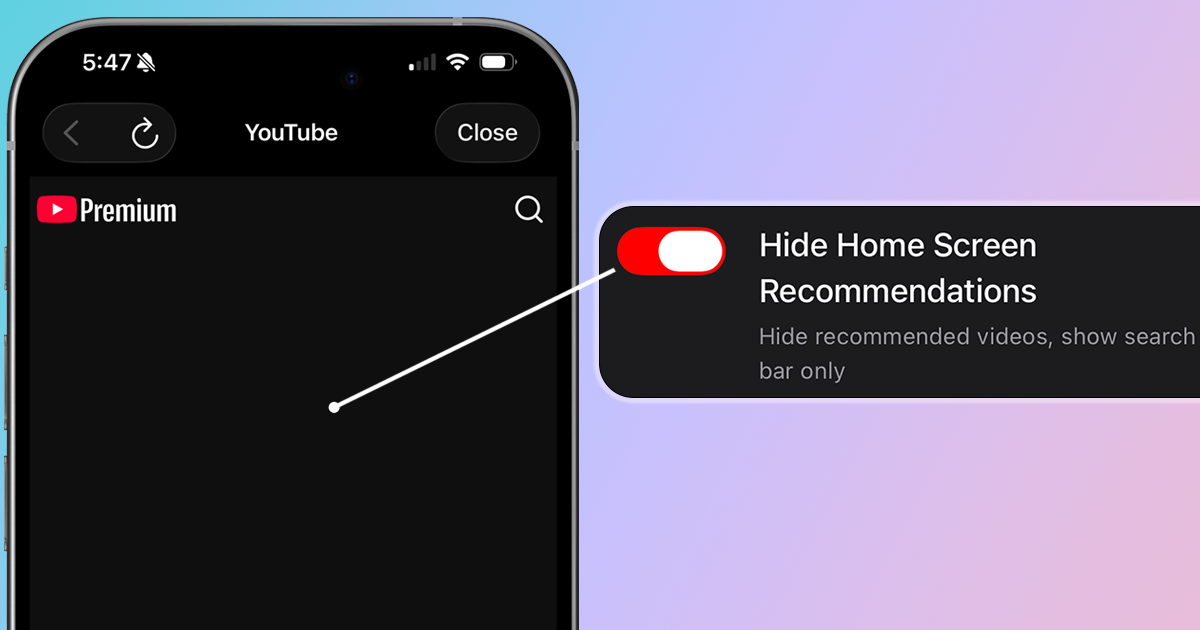
You open YouTube to search for a specific video. But before you can type anything, you're greeted by a wall of recommended videos—and an hour later, you've watched five videos that have nothing to do with why you opened the app. If this sounds familiar, here's how to disable YouTube's home feed recommendations and turn YouTube into a search-only tool.
Why You Might Want to Disable YouTube Recommendations
YouTube's home feed is powered by one of the most sophisticated recommendation algorithms ever built. It's designed to predict what you'll watch next—and it's very good at its job. Here's why that's a problem:
- Hijacks your intent: You came to search for something specific, not to browse
- Optimized for watch time: The algorithm promotes videos that keep you watching, not videos that are most valuable to you
- Creates rabbit holes: One click leads to another, and suddenly an hour has passed
- Filters your worldview: You only see content the algorithm thinks you'll engage with, creating an echo chamber
- Mixes in Shorts: The home feed now aggressively promotes Shorts, adding another layer of distraction
Method 1: Use LoomWeb (Most Effective)
The most effective way to disable YouTube's home recommendations on mobile is with LoomWeb, an app that lets you block specific features on video and social media platforms.
How it works:
- Download LoomWeb from the App Store or Google Play
- Create a new "Weave" (custom browsing configuration)
- Enable the "Hide Home Screen Recommendations" patch for YouTube
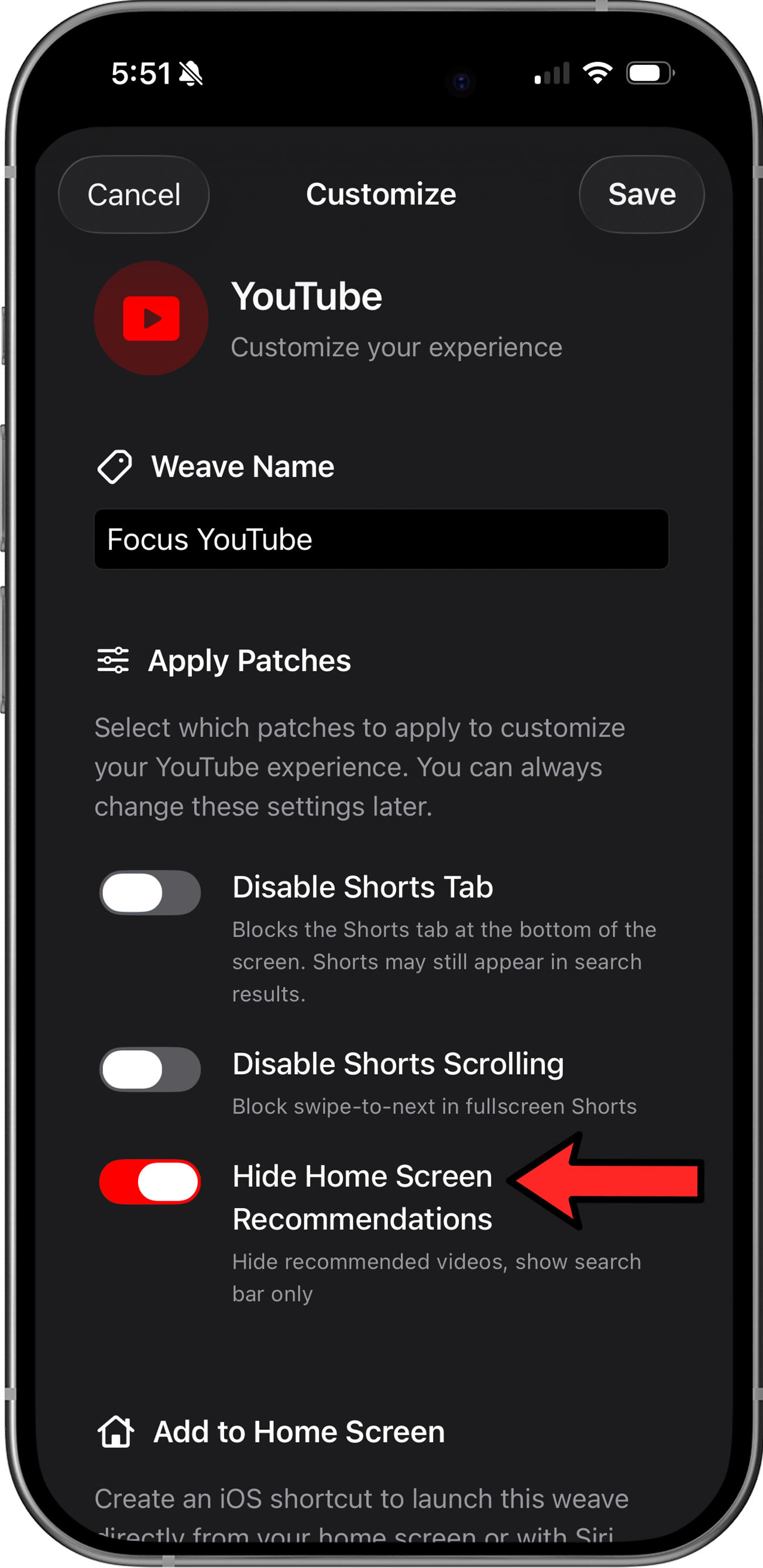
- Browse YouTube through LoomWeb instead of the native app
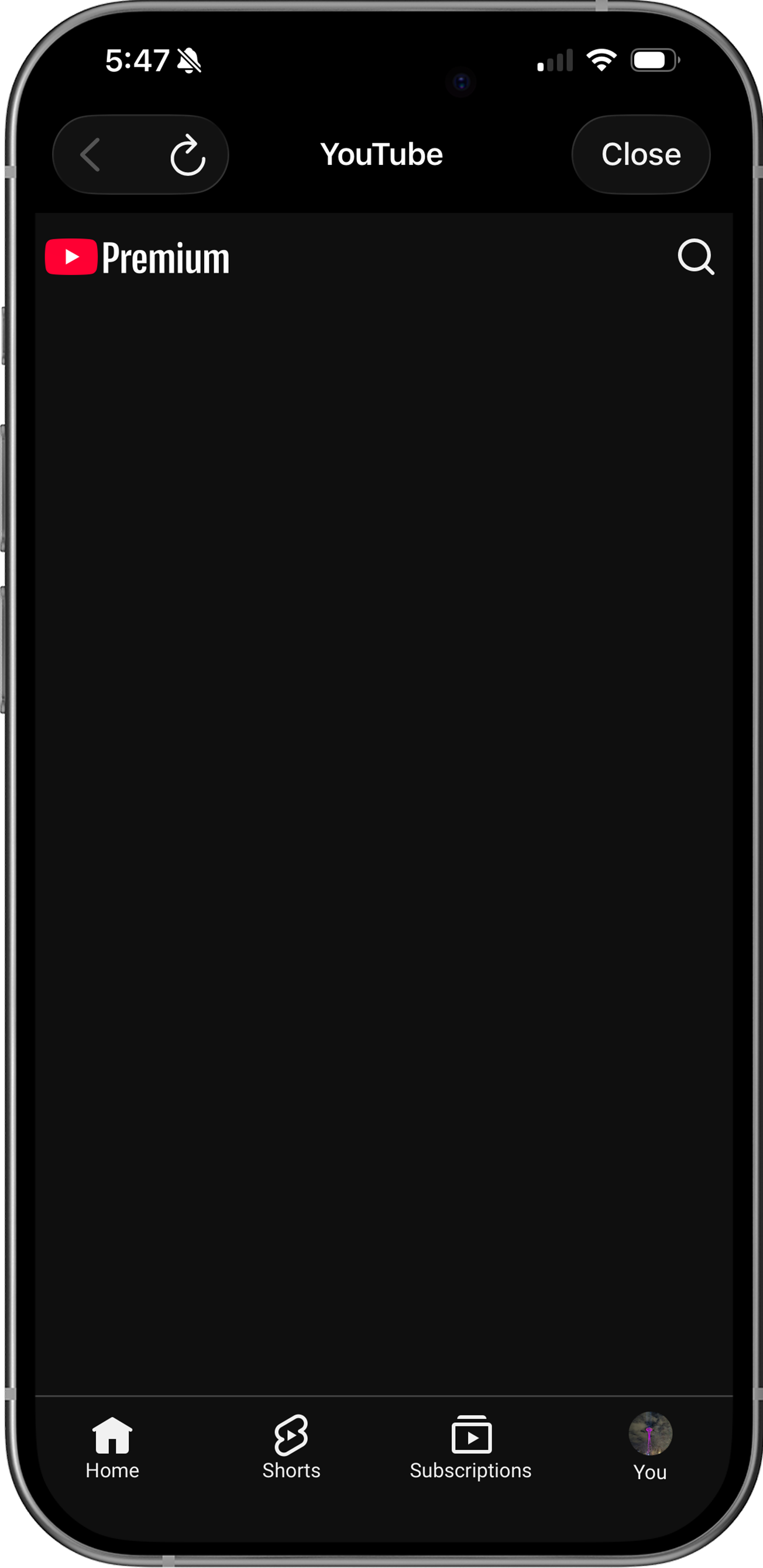
With LoomWeb, your YouTube home screen becomes a clean slate with just a search bar. No recommendations, no Shorts, no algorithmic suggestions—just a tool for finding exactly what you're looking for.
Ready to use YouTube without the algorithm?
Method 2: Safari Extensions on iOS (Limited)
If you watch YouTube on your phone via Safari, you can install browser extensions to modify the page:
Recommended Extensions:
- #BlockIt ($7.99) – Allows blocking specific elements on YouTube and other sites
- Roadblock ($0.99/mo) – A cheaper alternative with similar functionality
Limitation: Because these are standard browser extensions, they lack the native integrations that apps like LoomWeb provide, such as home screen widgets and Shortcuts support. They also require a multi-step setup in Safari settings, which can take some time if you haven’t installed extensions before.
Method 3: Pause Watch History (Limited)
YouTube uses your watch history to generate recommendations. You can pause it:
- Go to YouTube Settings > History & Privacy
- Tap "Pause watch history"
- Optionally, tap "Clear watch history" to reset existing data
Limitation: This makes recommendations less personalized but doesn't remove them. YouTube will still show trending and popular videos, which can also be distracting.
Why YouTube Won't Let You Disable Recommendations
YouTube has no incentive to let you turn off recommendations because:
- Watch time drives revenue: More videos watched means more ads served
- The algorithm works: Recommendations account for over 70% of all time spent on YouTube
- Data collection: Every video you watch feeds the algorithm, making it better at keeping you engaged
- Competition: YouTube needs to keep you on the platform instead of TikTok or Netflix
Google's business model depends on you watching more than you intended. A "disable recommendations" button would hurt their bottom line.
Why LoomWeb is the Best Solution
LoomWeb gives you what YouTube won't:
- Clean home screen: Replace the algorithmic feed with just a search bar
- Combine patches: You also have the option to hide Shorts for a completely distraction-free experience
- Multiple platforms: Also blocks recommendations on Instagram, Facebook, and X
- Actively maintained: Regular updates ensure patches keep working as platforms change
The Bottom Line
YouTube's recommendation algorithm is incredibly effective at keeping you watching. That's great for Google's ad revenue, but not so great for your time and attention.
The platform will never give you an off switch for recommendations—it's too valuable to their business. But with LoomWeb, you can take that control for yourself. Turn YouTube back into what it should be: a search engine for videos, not a slot machine for your attention.
Search for what you want. Watch it. Leave. That's how YouTube should work.
Take Control of Your YouTube Experience
Download LoomWeb and use YouTube on your terms—search only, no algorithm, no rabbit holes.