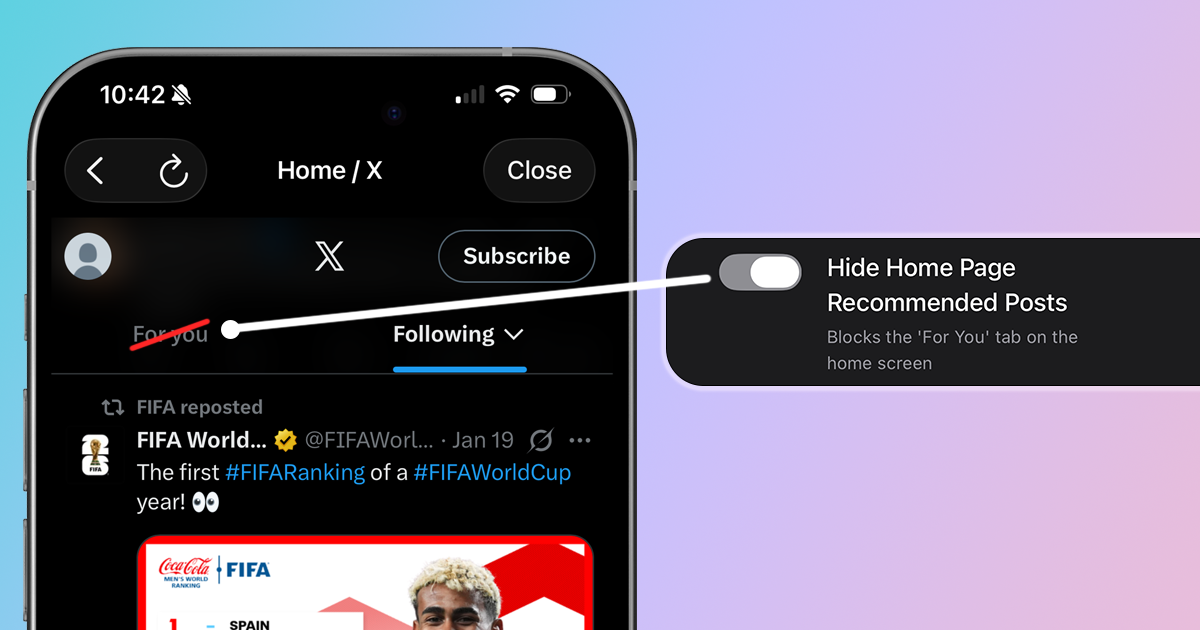
You open X to catch up on tweets from people you follow. But instead of your Following feed, you're greeted by the "For You" tab—an algorithmic mix of viral posts, engagement bait, and content from accounts you've never heard of. If you want to see only tweets from people you actually follow, here's how to block the For You tab.
Why You Might Want to Disable the For You Tab
X's "For You" feed uses an algorithm to surface content it thinks will keep you engaged. But "engaged" doesn't mean "informed" or "happy":
- Optimized for outrage: The algorithm promotes content that triggers emotional reactions, not content that's valuable to you
- Strangers in your feed: You'll see posts from accounts you don't follow, often with controversial takes
- Hijacks your intent: You came to see what people you follow are posting, not what's going viral
- Resets every time: Even if you switch to Following, X defaults back to For You when you reopen the app
Method 1: Use LoomWeb (Most Effective)
The most effective way to disable X's For You tab is with LoomWeb, an app that lets you block specific features on social media platforms.
How it works:
- Download LoomWeb from the App Store or Google Play
- Create a new "Weave" (custom browsing configuration)
- Enable the "Hide For You Tab" patch for X
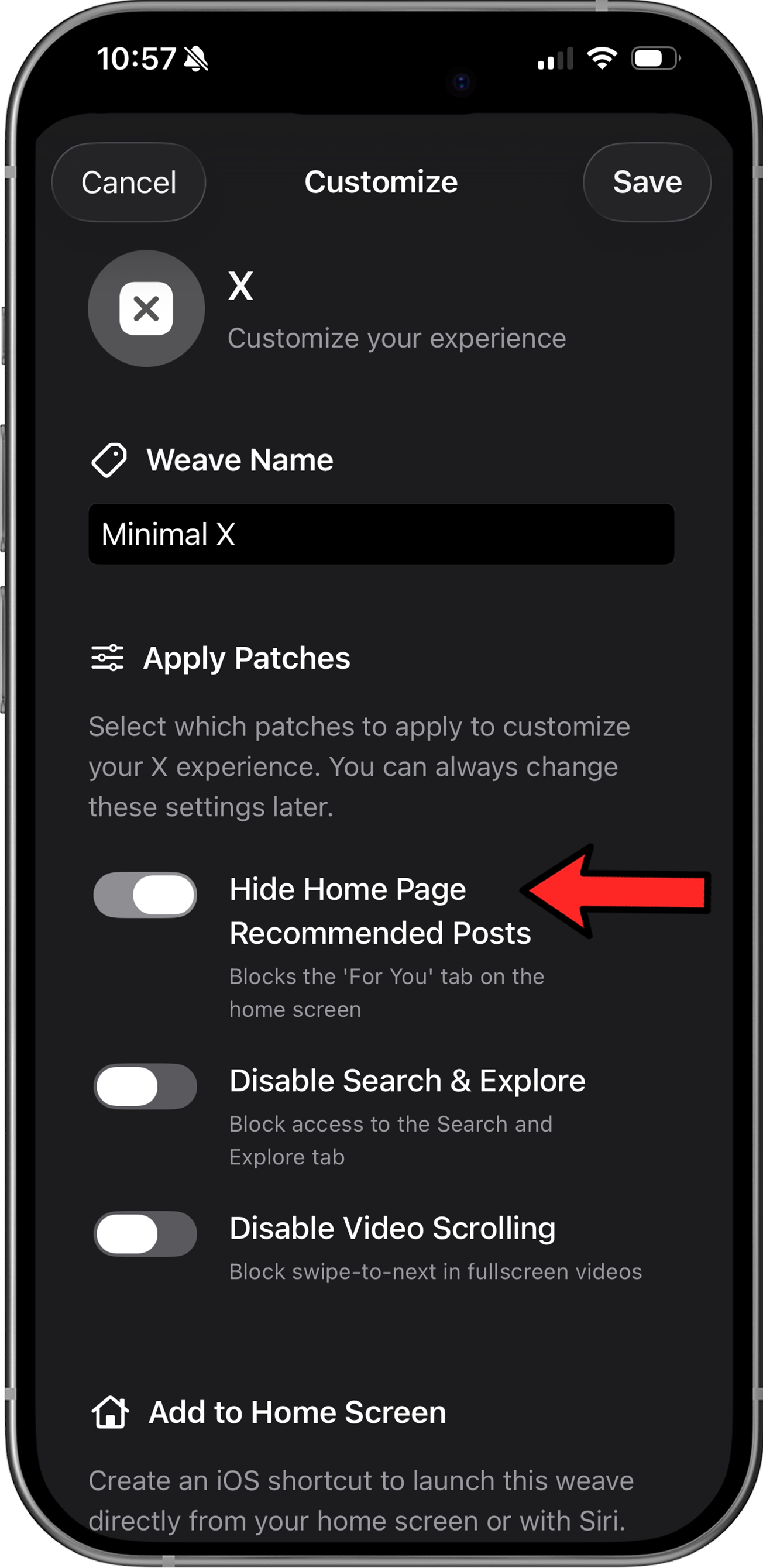
- Browse X through LoomWeb instead of the native app
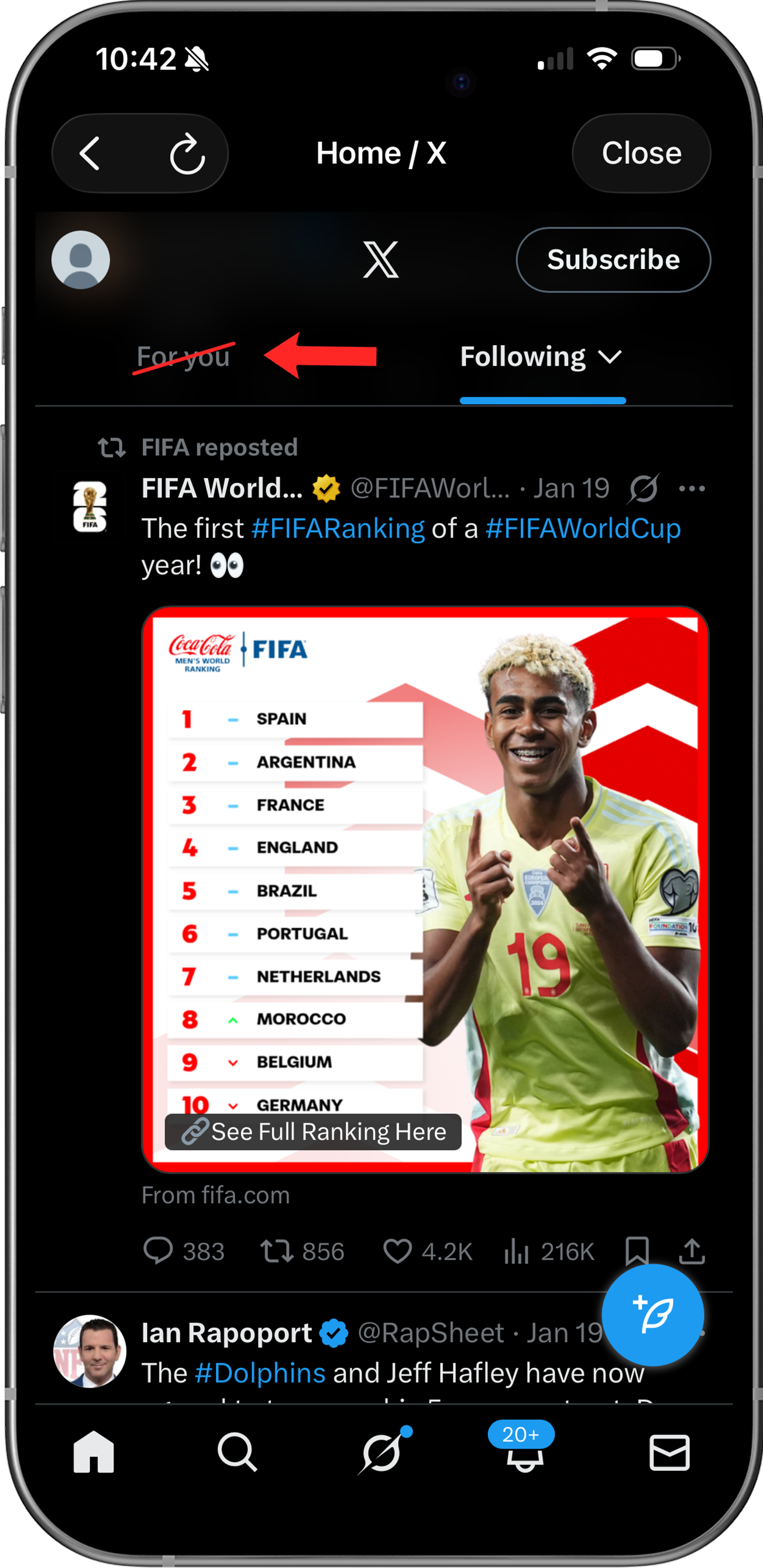
With LoomWeb, the For You tab disappears completely. Your home screen shows only the Following feed—a chronological timeline of tweets from accounts you've chosen to follow. No algorithm, no strangers, no engagement bait.
Ready to see only content from people you follow?
Method 2: Manually Switch to Following (Limited)
X does let you view a Following-only feed, but it requires manual action every time:
- Open X and go to your home timeline
- At the top, you'll see two tabs: "For You" and "Following"
- Tap "Following" to see only tweets from accounts you follow
Limitation: X resets to the "For You" tab every time you close and reopen the app. There's no setting to make "Following" the default. This means you have to manually switch tabs every single time you open X—increasing the chances you'll end up scrolling through algorithmic content.
Method 3: iOS Screen Time Limits
The last approach is to limit your overall time on the app:
- Open Settings: Go to your phone's home screen, tap Settings, and select Screen Time.
- Add a New Limit: Tap on App Limits > Add Limit.
- Select X: Tap the Social category, check the circle next to X, and tap Next.
- Set the Duration: Choose your daily allowance (e.g., 15 minutes).
- Enforce the Rule: Ensure Block at End of Limit is turned ON.
Limitation: This doesn't fix the For You problem—it just limits how long you can be exposed to it. You'll still see algorithmic content when you open the app.
Why X Won't Let You Disable For You
X has no incentive to let you turn off the For You feed:
- Engagement drives revenue: The algorithm keeps you scrolling longer, which means more ad impressions
- Viral content spreads: For You helps posts go viral, which keeps users creating content
- Data collection: Your interactions with For You content train the algorithm and provide valuable data
The platform's business model depends on the algorithm. A "make Following the default" setting would hurt their metrics.
Why LoomWeb is the Best Solution
LoomWeb gives you what X won't:
- Permanent solution: The For You tab is completely disabled, not just temporarily hidden
- Stay connected: Block the distraction, not your network. You retain full access to your timeline, DMs, and notifications.
- Combine with other patches: Choose to hide the Explore page for a completely algorithm-free experience
- Multiple platforms: Works for Instagram, YouTube, and Facebook too
The Bottom Line
X's For You feed exists to maximize your time on the platform, not to show you what you actually want to see. The algorithm decides what's "relevant" based on engagement metrics, not your preferences.
You followed specific accounts for a reason. You should be able to see their content without wading through algorithmic recommendations from strangers.
With LoomWeb, you can remove the For You tab entirely and use X the way it was originally designed—a chronological timeline of people you've chosen to follow. Your feed, your choice.
Take Control of Your X Timeline
Download LoomWeb and see only content from accounts you follow—no algorithm, no For You, no distractions.